DirWiz app icon: a folder holding a blue treemap Now lives in the menu bar

See what’s taking up space on your Mac.

DirWiz scans millions of files in seconds and turns your disk into a map you can explore. Find the space hogs, compare what changed, and move what you no longer need to the Trash.

Scanning, the map and search are free forever · macOS 15 or later · Apple silicon and Intel
What you can do with DirWiz

One window: a treemap you can steer, a sortable tree table, duplicate and hardlink groups, and space insights, all fed by one fast scanner.

See where your space went

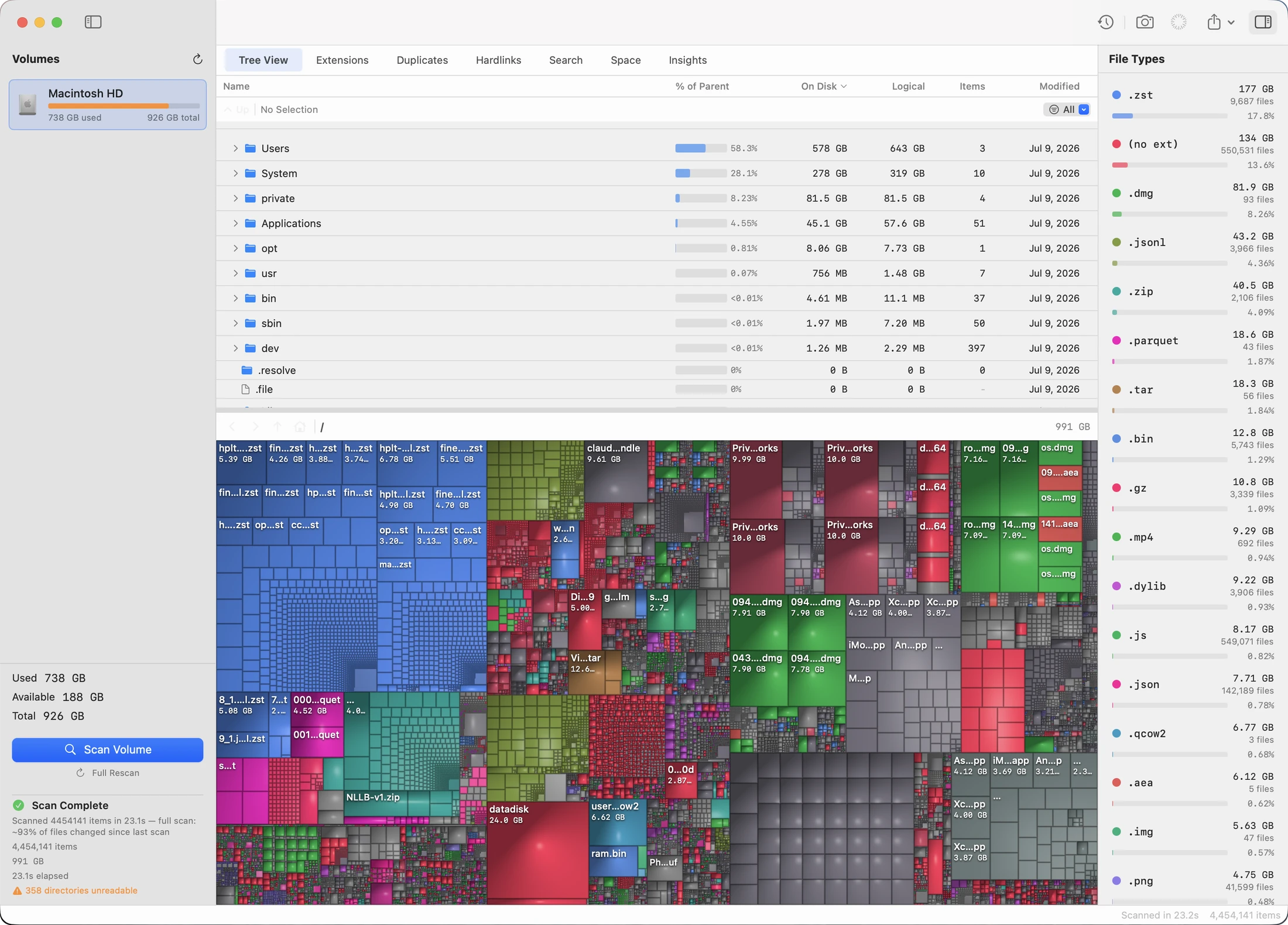
Every file is a rectangle sized by the space it takes on disk. This is a real scan of a Mac’s boot volume.

DirWiz treemap of a full Mac boot volume

Warm start

DirWiz saves each scan and next time rereads only the folders that changed. If anything is uncertain, it runs a full scan instead.

Full scan, 4,669,384 items21.8 s
Warm start, same volumeabout 1 s
DirWiz sidebar after a scan: 67 folders changed, updating

Living view

Turn on live updates and DirWiz keeps watching after the scan. Once the disk goes quiet, it updates only the folders that changed, and your selection and zoom stay where they are.

Byte-verified duplicates

Every file is read in full before anything moves.

How duplicates are checked ↓

Snapshot timeline

Compare today with any earlier snapshot.

See a comparison ↓

Space insights

Categories, file ages, clones and the purgeable space Finder won’t explain.

See the Insights tab ↓

Mac-native controls

New

Lives in the macOS menu bar, where live updates can keep running after you close the window. Back, Forward, Enclosing Folder, and Root are in the Go menu.

Try it in your browser

A real scan of a Mac, drawn in your browser by the app’s own renderer. Click a folder to zoom in and press Esc to zoom out. The Cushions and Folders toggle is the same one the app has.

Click a folder to zoom in · Esc or the path bar zooms out · sizes drift every few seconds and the layout follows

The whole volume, one window.

DirWiz after scanning a Mac boot volume: a sortable file tree above a colorful cushion treemap, with a file type legend on the right
An actual scan of this Mac’s boot volume: 4,669,384 items in 21.8 seconds. Every rectangle is sized by the blocks it occupies on disk, not its logical length.
4.67M items · 22 s
Full scan of a 926 GB boot volume, using getattrlistbulk kernel reads.
On-disk truth
Sizes are allocated blocks, not logical lengths, so sparse files show their real size.
0 dependencies
Native Swift and Metal. Nothing else ships in the bundle.
Trash only
Every removal goes through the Trash. A delete code path doesn’t exist.

More than the map

The treemap gets the attention, but most days you will spend in the other tabs, search most of all. They all work from the same scan, so none of them reads the disk again.

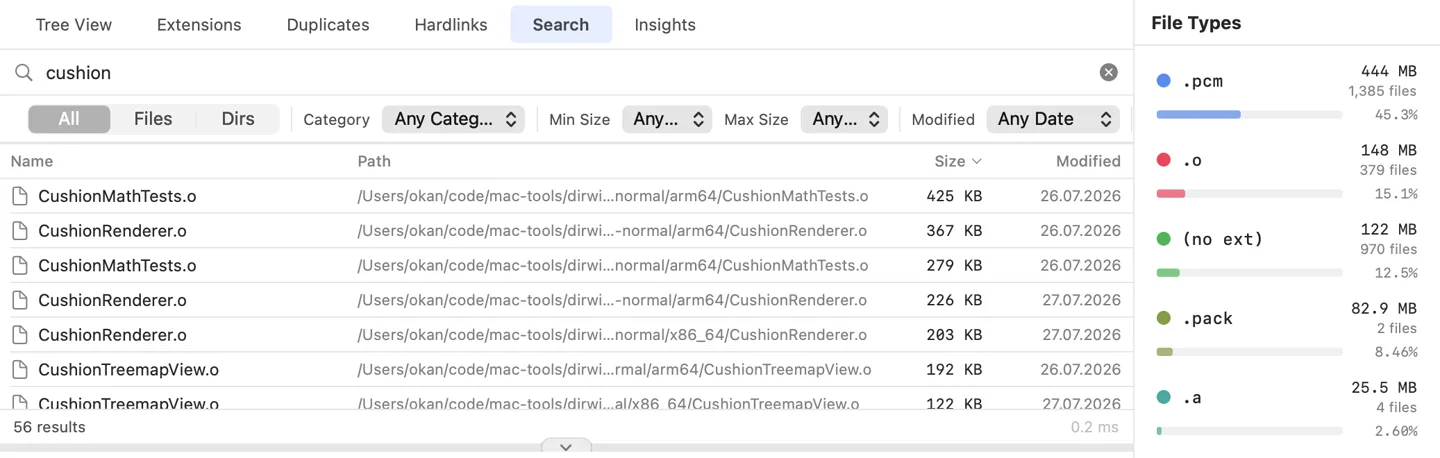
Search that answers as you type. Every keystroke searches the whole volume in 20 to 40 ms across 4.6 million items, and the last scan is already loaded when you open the app. Narrow results by file type, size, or modified date, or limit the search to one folder.
DirWiz search tab: the search field with a query, and filters for type, size and date
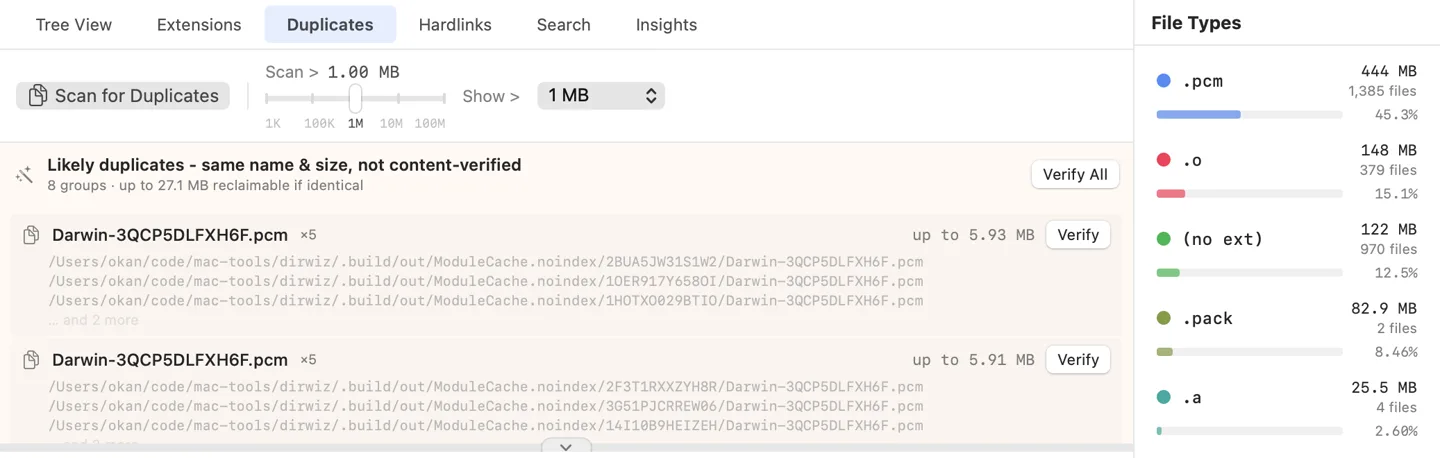
Duplicates, checked by their bytes. Likely copies appear as soon as a scan ends, grouped by name and size. Nothing can move to the Trash until the bytes match.
DirWiz duplicates tab: likely duplicates grouped by name and size, not yet verified, with a Verify All button
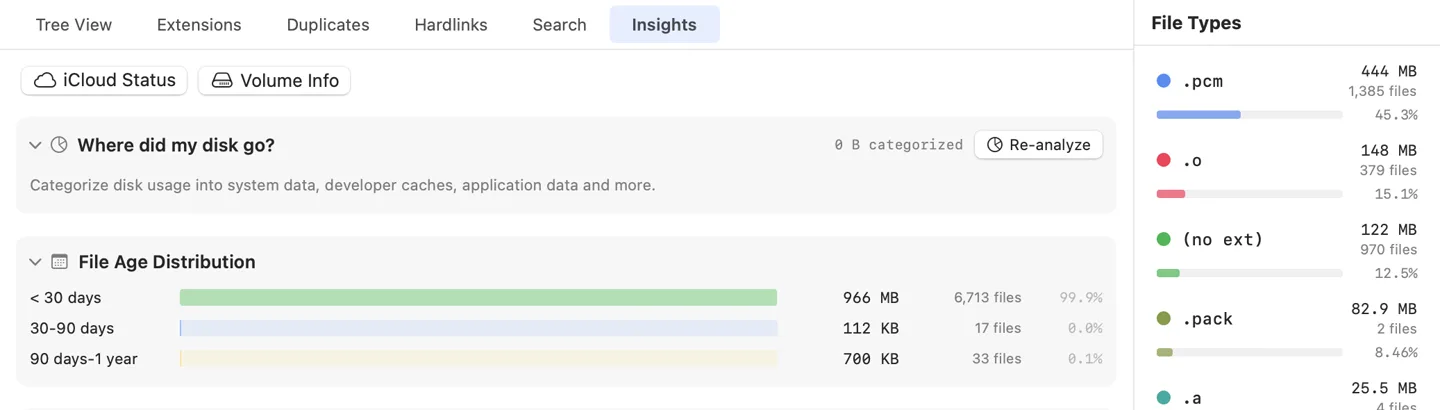
Insights you can fold away. See where the space went, how old it is and how file sizes are spread. Cards you fold away stay folded.
DirWiz insights tab: space categorization, file age distribution and size distribution cards

Trash the copy. Keep the original.

A matching name and size is only a lead. DirWiz confirms duplicates by their bytes, and before anything moves, each file is read again, byte for byte. Cleanup runs only while an identical copy you did not select stays in place. You cannot trash your last copy by accident: the action refuses to run.

  • Byte-for-byte verification right before the move, not just hashes from ten minutes ago.
  • Hardlink-aware. Hardlinked files share the same bytes, so DirWiz reports them separately and never counts them as space you can reclaim.
  • Safe presets. A preset that matches nothing selects nothing.
3 groups · 7 files 8.41 GB reclaimable
~/Movies/exports/final-cut-01.mov4.2 GBkeeper
~/Downloads/final-cut-01.mov4.2 GBidentical
~/Desktop/final-cut-01 (2).mov4.2 GBidentical
~/Documents/spec.pdf1.8 MBkeeper
~/Downloads/spec (1).pdf1.8 MBidentical
~/Pictures/IMG_2041.heic4.6 MBkeeper
~/Desktop/photo-dump/IMG_2041.heic4.6 MBidentical
Read again, byte for byte, right before anything moves.

Where did those 20 GB go?

Take a snapshot while your disk is tidy. Three weeks later, when the “disk almost full” warning shows up, compare against it. New files show in green, growth in blue, shrinkage in amber and deletions in red, right on the treemap, with a ranked list of the biggest changes.

  • Compact snapshots for each scanned folder or volume. Take one whenever things look right.
  • Automatic snapshots from your scans, thinned over time to dailies, weeklies and monthlies. The ones you pin are never removed.
Jun 12, 2026 → Today +18.4 GB
~/Library/…/Xcode/DerivedData+9.1 GB
~/Projects/acme-web/node_modules+4.2 GB
~/Library/Caches+3.8 GB
~/Downloads/Xcode_16.4.xipnew 2.9 GB
~/Movies/exports−1.6 GB
new grew shrank deleted

Safe cleanup

Trash, never delete

Every removal goes through the system Trash, so you can put it back. Nothing in DirWiz deletes a file outright.

Verified before it moves

Duplicate cleanup reads each file again, end to end, right before it moves, and refuses to run unless an identical copy remains.

Never guesses

Cleanup presets that match nothing select nothing. When a choice is unclear, DirWiz does nothing rather than guess.

Get DirWiz

Download free Buy DirWiz, $9.99

macOS 15 or later · universal (Apple silicon & Intel)

$9.99 once, tax included. Scanning, the map, search and insights are free forever, with no account and no card. The license unlocks cleanup, verified duplicates, timeline comparisons and exports.

One license, your Macs. Buy once and use DirWiz on up to 5 Macs you own. See the terms.

30 day refunds. If it is not right for you, write within 30 days for a full refund. See the refund policy.

Lost your key? Get it back at dirwiz.app/account.